


HubSpot feels like the Apple of B2B platforms, but not in a good way. Closed, controlling, and beautifully packaged, until you try doing real work. Built for sales, marketed to marketers, and priced for finance departments, it promises a unified go-to-market engine. But when you step in as a growth architect, you find something else entirely: rigid workflows, brittle tracking, limited visibility, and a system that only works if you never push past the basics.
I’ve worked inside and around HubSpot for years. Architected automation, cleaned CRM chaos, stitched attribution gaps, and hacked reporting systems to get the truth out of noisy data. I’ve seen what it can do, and what it can’t. Especially when you’re running technical funnels, need to justify spend, or rely on precision to scale.
This post isn’t about hating on HubSpot. It’s about showing what happens when your tool gets in the way of your strategy, and what to build instead when you’re serious about growth.
Why I Replaced HubSpot’s Marketing Automation
Even When Budget Wasn’t the Issue
Let’s start with workflows. In multiple client projects, especially in Web3, where spend must be justified with outcomes, I’ve deliberately chosen not to use HubSpot’s native automation. Even with budget available for Marketing Pro, the limitations were too severe: rigid logic, lack of control, and frustrating UX at every step.
I rebuilt the same flows using Zapier + Brevo, with Make handling more advanced routing. Not because the client couldn’t afford Enterprise, but because paying thousands per month for what I can build cleaner, faster, and more flexibly with $100 tools doesn’t make sense.
That budget is better spent on tools that scale, or actual acquisition efforts, not on unlocking basic functionality. When marketing automation breaks down at the first layer of complexity, the issue isn’t pricing. It’s architecture.
Marketing automation should create leverage. In HubSpot, it just adds friction, and invoices.
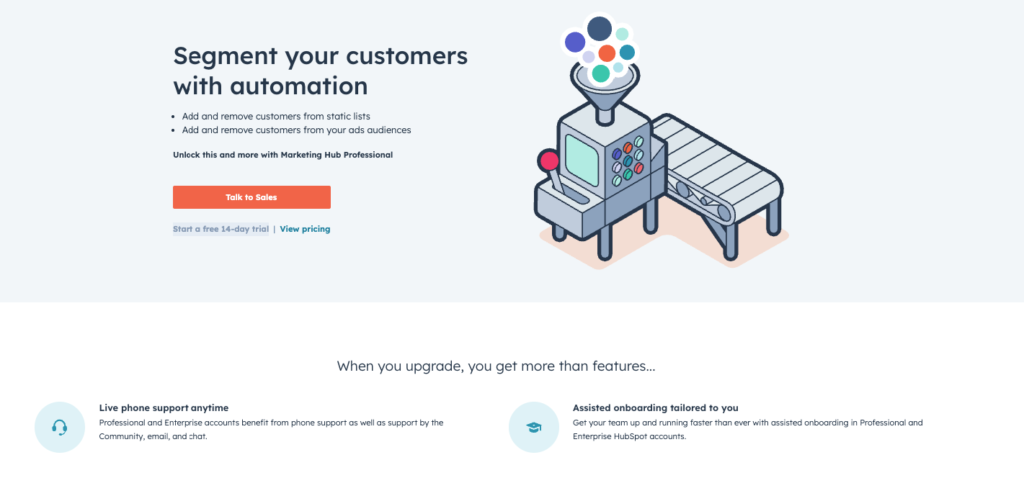
Even with $2K/month in billing, HubSpot still charges extra just to trigger an email when someone joins a list.
What HubSpot Gets Wrong About Attribution
HubSpot’s Enterprise “Revenue Attribution” feature looks great on paper, assign deal credit, compare campaigns, model ROI. But in real-world use, it falls apart at every layer.
Tracking is cookie-based, which means it breaks under ITP (Safari), ad blockers, privacy tools, and cross-device journeys, which now make up the majority of traffic for most SaaS and Web3 funnels.
Attribution logic is locked into rigid, first/last/intermediate models with zero customization. There’s no event-level visibility, no sequence tracking, and no ability to layer in product usage or multi-session behavior.
Worse, only HubSpot-native assets get full visibility. If your user journey touches Calendly, Webflow, onboarding flows, or external tools, it vanishes. I’ve had cases where the HubSpot tracking pixel was correctly installed, but due to form data being passed via API (for security and sanitization reasons), the system couldn’t match the contact to any of their web behavior. All source and attribution data? Gone.
In another case, I audited attribution reports where first-touch and last-touch were identical on 90% of deals, statistically impossible. It wasn’t a funnel insight. It was a tracking failure.
And if you compare HubSpot attribution to GA4 or PostHog, the story gets worse. PostHog lets you explore behavior down to the user level, you can trace sessions by email, understand actions across time, and match patterns to paid conversions. With HubSpot? You feel like you’re looking at a completely different audience. The discrepancy is so large, it’s like comparing two separate businesses.
Yes, HubSpot can track calls and pipeline stages once someone is in your CRM. But if you want to understand who your buyers really are, what channels they come from, what behaviors signal intent, what journeys lead to conversion… it’s a joke.
And for any marketer serious about scaling acquisition efficiently, knowing what personas convert isn’t a bonus, it’s the job.
So even at $3,600/month, HubSpot’s attribution isn’t a growth tool. It’s a polished black box that gives you the illusion of clarity, while you fly blind outside their system.
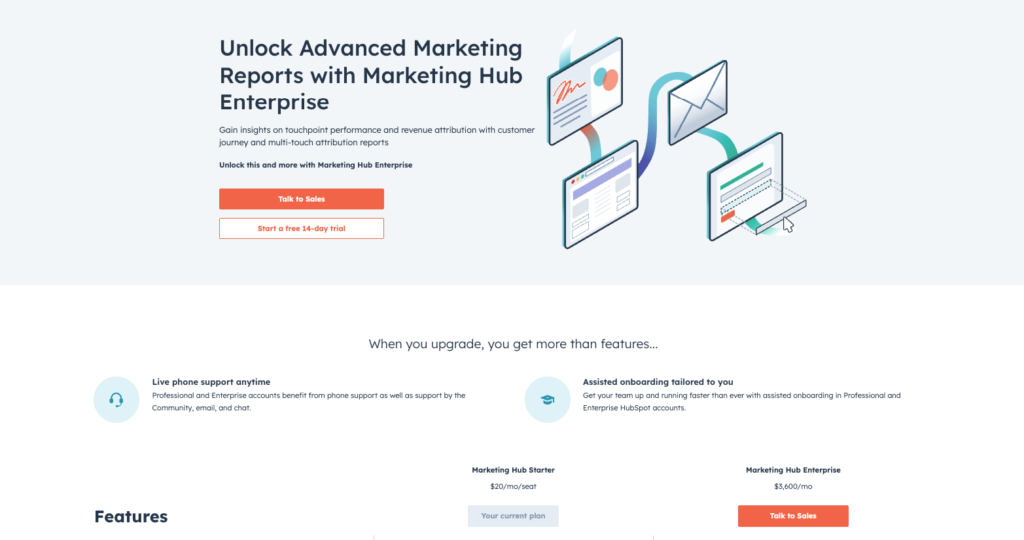
“Unlock Advanced Marketing Reports” by paying enterprise prices for basics.
Hidden Limitations Most Marketers Don’t See Until It’s Too Late
Attribution isn’t the only place HubSpot breaks down, it’s just the most obvious when you’re trying to scale. Under the surface, the platform introduces dozens of small architectural constraints that compound over time.
You don’t notice them when you’re just sending a newsletter or building a single landing page. You notice them when you’re trying to build a growth engine, when data needs to flow cleanly across tools, when automation must adapt to behavior, when attribution has to match actual spend.
That’s when HubSpot stops being a marketing platform and starts being a maze of paywalls, shortcuts, and tradeoffs.
Here’s what that looks like in practice:
Data Access & API Limitations
- No SQL or raw event access, you’re locked out of your own behavioral data
- APIs are slow, rate-limited, and incomplete
- Data syncs frequently break across sessions, tools, or CRMs
Custom Reporting Gaps
- You can’t join objects flexibly (contacts + deals + events + custom fields = nope)
- Attribution models are locked, and funnel overlays are barely usable
- Real analytics requires an external stack
Automation Logic Constraints
- No nested logic or fallback states, everything’s linear or duplicated
- Conditional logic? Only available at Enterprise tier
- Multi-step onboarding or behavioral routing often becomes spaghetti workflows
Multi-Touch & Cross-Device Failures
- Mobile users disappear from tracking
- Safari and privacy-first browsers silently block attribution
- Cookies expire long before B2B deals close, breaking sequence data
Ad Platform Sync Issues
- Google Ads and Meta data often shows up partially or incorrectly
- ROAS reports lag, sync errors hide under dashboards
- Attribution and spend rarely align unless you QA manually
Features Hidden Behind Upgrades
- Dynamic content? Only in Pro.
- List-based triggers? Depends on tier.
- CRM integrations? Only partial unless you buy Ops Hub.
For a system marketed as “all-in-one,” HubSpot makes basic execution feel like duct-taping feature unlocks to legacy constraints.
And for growth teams trying to scale clean, fast, and cross-functionally, that’s not just frustrating. It’s a liability.
That’s why I stopped building in HubSpot, and started building around it.
What I Build Instead, When Attribution Matters
I don’t rely on HubSpot’s default attribution logic. I build my own, with Google Tag Manager as the backbone, not to bypass HubSpot entirely, but to feed it more accurate, structured data so I can actually use its native features (like lead scoring, lifecycle stages, and campaign mapping) with confidence.
Here’s how that architecture works:
- Custom UTM capture through GTM and JavaScript, using hidden form fields to persist source data even across sessions or devices.
- First-party data injection into custom HubSpot fields, giving me control over what gets stored and when, instead of relying on fragile default tracking.
- Touch-point persistence across the funnel, making sure early-stage influence isn’t lost when deals finally close weeks later.
- Cross-platform validation via PostHog, Keitaro, or GA4, not to replace HubSpot, but to stress-test it. I use external tools to spot attribution mismatches and identify blind spots.
- Manual reconciliation layers in Google Sheets or Notion when needed, to trace, explain, and correct attribution gaps across campaigns.
- Custom dashboards pulling from both HubSpot and external sources, so I can see spend, source, pipeline, and ROI in one clean view.
This setup doesn’t reject HubSpot, it upgrades it. I route better inputs in so that the outputs are actually usable. Attribution becomes a system, not a guessing game.
Because in growth architecture, clarity beats convenience, every time.
Oh, and It’s a Security Risk Too
It’s not just about attribution or automation. Even the form system in HubSpot isn’t built to scale safely. On paper, it flags spam. In reality, it just stores everything, flagged or not, directly into your CRM.
During a client engagement that included a red team review, this setup was identified as a potential risk. Not because of an active breach, but because there’s no perimeter logic, no sandboxing, no ability to quarantine harmful payloads. Every submission is treated as valid unless you build your own filtering logic outside the platform.
That’s what I had to do.
Instead of using native HubSpot forms, I rebuilt the intake system using Webflow for front-end field validation and Zapier for backend sanitization, filtering known spam domains, malformed links, and unverified submissions before they entered the CRM. In more complex cases, I used Make to apply logic trees and routing rules that HubSpot’s own workflow engine couldn’t support.
Not because I wanted to be fancy. Because I refused to allow fake data, phishing links, or automation triggers to be handled by a system that doesn’t offer actual input control.
When you’re scaling lead intake, every bad submission has a cost, in clutter, in pipeline confusion, and sometimes in real security exposure. HubSpot doesn’t stop it. It just tags it.
Final Thoughts
HubSpot sells itself as an all-in-one platform, a “single source of truth” for marketing and sales. But in practice, it’s a system built for simplicity, not scale. For teams who rely on precision, clean data, and iterative growth, HubSpot’s limitations start stacking fast.
The problem isn’t that HubSpot has gaps. Every platform does. The problem is how invisible those gaps are until you hit them:
- Attribution breaks silently.
- Automations misfire without explanation.
- Form spam gets stored as “just another lead.”
- And every time you want to fix it, the answer is: upgrade.
I’ve worked in HubSpot at every level, as an architect, not just a user. I know how to make it work. I also know when to route around it. Because growth isn’t about pushing buttons inside one tool. It’s about building systems that scale cleanly, with clarity, flexibility, and truth in the data.
If you’re serious about growth, you don’t need more tools, you need better architecture. And sometimes, that means knowing when to say: no thanks, we’ll do this part our way.